14 Jun 2011

Day 14 – Getting ready to go live

No Comments 21 Days

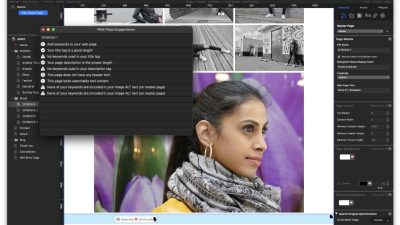
In just a few short days we will be discussing the publication of your iWeb site to the Internet proper but before we do there are some things that we need to consider. Yesterday we covered testing our site until we could (or more hopefully couldn’t) break it and tomorrow is all about letting Google know we are here, but there are other things we can do to help ourselves get higher in search engines. Grab yourself a cup of tea or coffee, we are having a lesson in basic SEO for iWeb.

Some of the work to help with the SEO of your site has been done already if you have been following this course carefully. On day 2 we discussed getting things ready for your iWeb site including naming all of your images correctly and ensuring that all of the text contained plenty of keywords for your site. You even made sure your navigation will all be text based do that it is easy for search engines to find their way around. Now we are going that little step further, dotting the Is and crossing the Ts.

Read more

13 Jun 2011

Is this the end of iWeb?

19 Comments Blah blah

I was reading Twitter earlier on today and got a bit of a shock! Being half asleep though I chose to ignore what I had read and put it to the back of my mind. It was then this afternoon when I got an e-mail from Danish iWeb user Peter Vistisen when it suddenly hit me. There is a vicious rumor spreading around the WWW that iWeb has not much longer left for this world. Yep very soon our favorite app for creating our beautiful webpage masterpieces may well be no more.

How can this be I hear you cry! Well according to MacRumors Steve Jobs has announced it. AAAAGGGHHHHH!!!! Read more

13 Jun 2011

Day 13 – Testing, testing, testing

No Comments 21 Days

Testing is a critical stage of web design and yet it is often one of the most overlooked. Through no fault of their own many iWeb users will overlook this stage completely; they take a look at their site in Safari, see that it looks fine and think that is it. In most cases it is, but as the saying goes ‘there’s always one!’ and in this case the ‘one’ is Internet Explorer; in particular older versions of IE.

Why do we have to test our iWeb sites? Well in all honesty if you are just designing a site that is aimed purely at your family and friends you probably don’t have to go mad when it comes to testing. The same also applies if you have built a site that is aimed entirely at Mac users (naturally they don’t use IE) but if you have spent days creating the perfect iWeb masterpiece and you want it to be seen by anyone who has an internet connection then testing is the way forward. Read more

12 Jun 2011

Day 12 – An iWeb store selling things on-line

No Comments 21 Days

I get asked many times through All About iWeb how easy is it to sell things from an iWeb site. The answer is that it is quite easy to sell things and I have seen many sites that do just that. There are many things to keep in mind however when you do want to add a products page as well as which payment system you want to use. We will be covering all these things in today’s post.

I know first hand that selling products from an iWeb site can be done without too much effort as I have had Themes for iWeb going now for some time. This post is all taken from my experience. Read more

11 Jun 2011

Day 11 – Headers and footers the iWeb way

1 Comment 21 Days

You must be an active subscriber to view this premium content. Subscribe or Login.